HLS (M3U8) Downloader – Download Streaming Video Easily
An HLS downloader allows you to save streaming video that uses segmented formats such as M3U8 playlists. Unlike standard downloads, HLS streams consist of multiple small video segments that must be detected, combined, and saved properly.
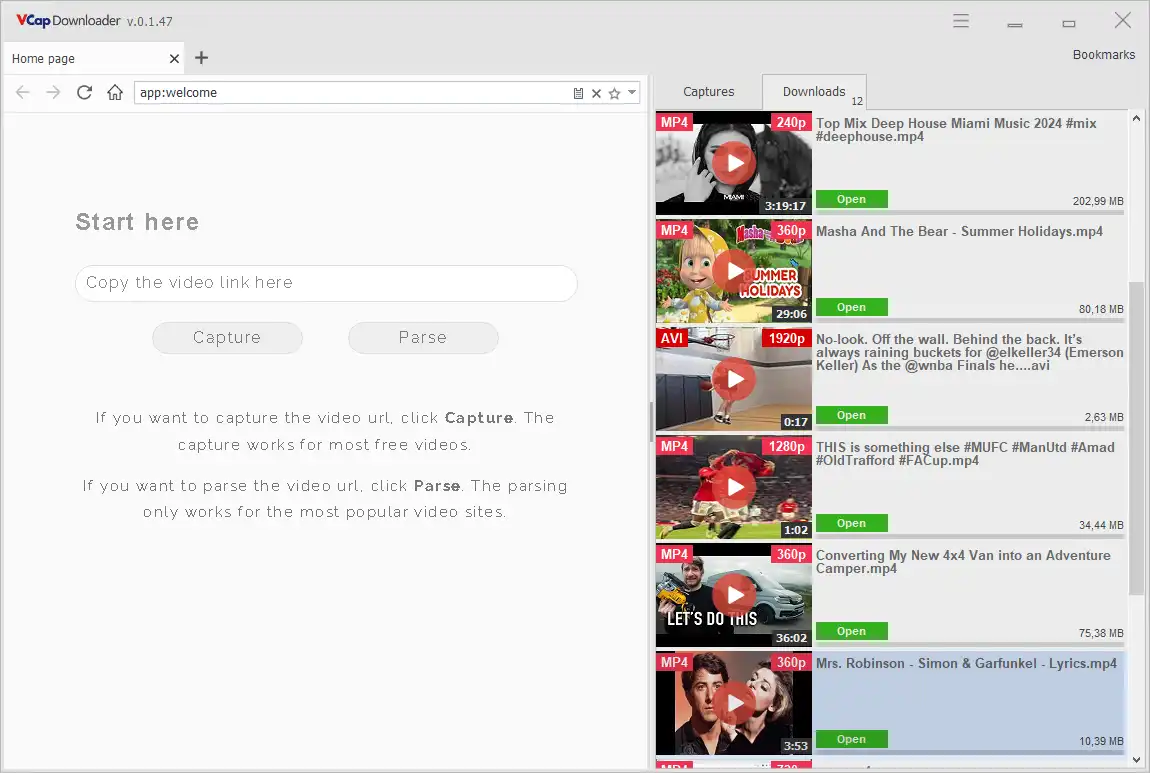
VCap Downloader automatically detects HLS and M3U8 streams and downloads them as complete video files, without requiring manual extraction or additional tools.
What is HLS (M3U8)?
HLS (HTTP Live Streaming) is a streaming protocol that delivers video as a sequence of small segments instead of a single file. These segments are listed in a playlist file, typically with the .m3u8 extension.
This means:
- Video is streamed in parts
- Quality can change dynamically
- There is no direct "download file" link
That’s why standard download methods don’t work — and a specialized HLS downloader is required.
What is HLS streaming?
HLS (HTTP Live Streaming) is a video streaming protocol that delivers media in small segments using .m3u8 playlists. Learn more about streaming video downloading.
What is an M3U8 Playlist?
An M3U8 file is a playlist used in HLS streaming. It contains references to small video segments that are played sequentially.
By capturing the playlist, VCapDL can reconstruct the full video stream efficiently.
Why HLS Video is Difficult to Download
HLS streams are not stored as a single video file. Instead, they are split into many small segments referenced by a .m3u8 playlist.
Most video downloaders rely on parsing webpage content and often fail to handle segmented streaming formats like HLS.
How an HLS Downloader Works
An HLS downloader performs several steps:
- Detects the M3U8 playlist
- Reads the list of video segments
- Downloads all segments sequentially or in parallel
- Combines them into a single video file
VCap Downloader automates this process and handles complex streams without user intervention.
Why Use an HLS / M3U8 Downloader?
You may need an HLS downloader when:
- Videos are streamed but not directly downloadable
- Content uses adaptive bitrate streaming
- You want to save video for offline viewing
- Standard download tools fail to detect media
HLS downloaders make it possible to capture streaming media reliably and efficiently.
Why VCapDL Works Better with HLS Streams
VCapDL does not depend on site-specific parsers. Instead, it monitors network traffic and captures HLS manifests directly.
- No need to support individual websites
- Works with dynamically generated streams
- Handles protected and complex video delivery systems
Features to Look For
A good HLS downloader should support:
- Automatic stream detection
- M3U8 playlist parsing
- Segment merging
- Resume support
- High-quality video output
VCap Downloader supports HLS, MPEG-DASH, and other streaming formats, allowing it to work with a wide range of websites.
Advanced HLS Stream Support
Modern HLS streams may use encryption to protect media segments during delivery.
A reliable HLS downloader should be able to process standard encryption methods used in streaming.
VCap Downloader supports HLS streams with standard encryption mechanisms, including:
- AES-128 encryption
- AES-192 encryption
- AES-256 encryption
- Initialization Vector (IV) handling and key rotation
These encryption methods are widely used in HLS streaming to ensure secure media delivery.
This allows the application to correctly process and assemble video segments in streams that use common encryption techniques as part of standard media delivery.
Support for these technologies ensures compatibility with modern streaming formats while maintaining stable and reliable downloads.
HLS Downloader vs Regular Video Downloader
Feature HLS Downloader Regular Downloader
- Streaming support Yes Limited
- M3U8 support Yes No
- Segment merging Yes No
- Adaptive quality Yes Limited
| Feature | HLS(M3U8) Downloader | Regular Downloader |
|---|---|---|
| Streaming support | ✔ Advanced | ✖ Limited |
| M3U8 support | ✔ Yes | ✖ No |
| Segment merging | ✔ No | ✖ Limited |
| Adaptive quality | ✔ Yes | ✖ Limited |
How to Download HLS (M3U8) Video (Step-by-Step)
- Open a webpage with streaming video
- Start video playback
- VCapDL will automatically detect the HLS stream on the right in the capture panel
- Click the "Download" button

- Choose quality and save the video
No need to manually find or copy M3U8 links — everything is handled automatically.
How HLS (M3U8) Streaming Works in Detail
HLS (HTTP Live Streaming) delivers video content as a sequence of small media segments rather than a single file. These segments are typically a few seconds long and are listed in a playlist file with the .m3u8 extension.
An HLS stream consists of:
- Master playlist – defines available quality levels and variants
- Media playlist – contains the list of actual media segments
- Segments (.ts or .m4s files) – small pieces of video data
When a video is played, the player:
- Loads the master playlist
- Selects a quality level
- Requests the media playlist
- Downloads and plays segments sequentially
This process enables smooth playback and adaptive quality based on network conditions.
Master Playlist vs Media Playlist
An HLS stream may include multiple playlists.
Master Playlist
- Contains multiple stream variants
- Defines resolution, bitrate, codecs
- Allows adaptive streaming
Media Playlist
- Contains actual segment URLs
- Defines playback order
- May include encryption keys and metadata
A reliable HLS downloader must correctly parse both playlist types to reconstruct the full video.
Segment-Based Streaming and Downloading
Unlike traditional downloads, HLS uses segmented delivery.
Each video is split into small chunks:
- Typically 2–10 seconds per segment
- Stored as .ts or fragmented MP4 (.m4s) files
- Delivered via standard HTTP requests
An HLS downloader must:
- Detect segment URLs
- Download all segments
- Maintain correct order
- Merge them into a single playable file
VCap Downloader handles this automatically, even for long or high-resolution streams.
Adaptive Bitrate Streaming (ABR)
HLS supports adaptive bitrate streaming, which allows the video quality to change dynamically.
This means:
- Multiple versions of the same video exist
- The player switches quality depending on connection speed
An HLS downloader must:
- Select a consistent quality level
- Avoid mixing segments from different streams
- Ensure stable output video
VCapDL automatically selects and downloads the appropriate stream quality.
HLS Encryption and Key Handling
Many HLS streams use encryption to protect media segments during delivery.
Common mechanisms include:
- AES-128 encryption
- AES-192 / AES-256 variants
- Key rotation
- Initialization Vector (IV) usage
In encrypted streams:
- Each segment is encrypted
- A key file is referenced in the playlist
- The player retrieves and applies the key during playback
A compatible downloader must:
- Detect encryption parameters
- Process standard key delivery methods
- Correctly assemble segments into a playable file
VCap Downloader supports standard HLS encryption mechanisms used in modern streaming.
Common Challenges in HLS Downloading
Downloading HLS streams is more complex than regular file downloads.
Typical challenges include:
- Missing direct download links
- Multiple quality variants
- Segmented media structure
- Synchronization of segments
- Encrypted streams
This is why many basic download tools fail to handle HLS streams properly.
Why HLS Support is Important
HLS is one of the most widely used streaming protocols today.
It is commonly used for:
- Adaptive video streaming
- Live broadcasts
- High-resolution video delivery
- Mobile and cross-platform playback
Without HLS support, a video downloader cannot reliably handle modern streaming content.
Frequently Asked Questions (FAQ)
Q: What is an M3U8 file?
A: It is a playlist file that contains links to video segments used in HLS streaming.
Q: Can I download M3U8 videos directly?
A: Not as a single file. An HLS downloader is required to process and combine segments.
Q: Does VCapDL support HLS streams?
A: Yes, VCap Downloader automatically detects and downloads HLS (M3U8) streams.
Q: Do I need to copy M3U8 links manually?
A: No, VCapDL detects HLS streams automatically during playback
With VCap Downloader, you can download HLS (M3U8) videos, capture streaming media, and manage your downloads in one place.
Learn More
- How VCapDL Works
- VCapDL's Features
- Video Downloader
- HLS (M3U8) Downloader
- HPEG-DASH (MPD) Downloader
- Video to MP3 Converter
- Streaming Video Downloaders Explained