Safe and Reliable Video Downloader Tools for Windows (2026)
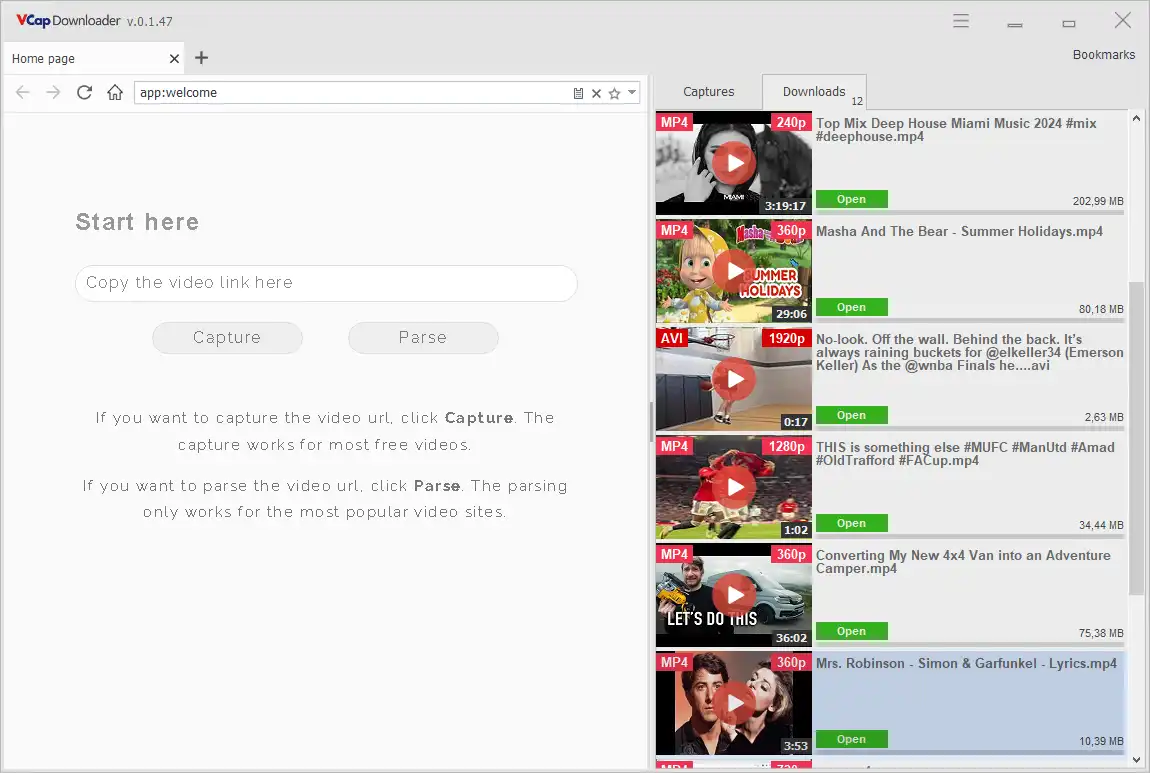
A video downloader is software that helps you save streaming media safely and efficiently. Modern download managers, like VCap Downloader, combine reliable file downloads with advanced video capture capabilities, allowing you to legally store videos from many online platforms for personal use. With features like batch downloads and media capture, these tools simplify the process without compromising security or stability.
What is a Video Downloader?
A video downloader is a type of software designed to save video and audio streams from websites that allow content to be downloaded. Unlike basic browser downloads, video downloaders handle:
- Streaming media efficiently
- Large or multiple videos simultaneously
- Automatic detection of downloadable content
- Safe and legal saving of content for offline use
Modern video downloaders often integrate with general download manager features, giving you an all-in-one solution.
Why Use a Video Downloader?
Video downloaders are useful when you want to:
- Save educational or legally available media for offline viewing
- Capture streaming videos from websites that allow downloads
- Organize and manage multiple downloads easily
- Avoid interruptions due to network issues
Even if you occasionally download media, a video downloader ensures speed, reliability, and organization.
Features to Look for
When choosing a video downloader, consider tools that offer:
- Audio extraction (MP3 support)
- Subtitle download support
- Basic video editing tools (trim, merge, resize)
- Batch and scheduled downloads
- Resume support for interrupted downloads
- Media capture capabilities for various streaming formats
- Safe and legal operation, without violating platform rules
VCap Downloader combines download management, video capture, and basic media processing tools in one application. This means you can download videos, extract audio in MP3 format, save subtitles, and perform simple edits — all without switching between multiple programs.
Advanced Video and Audio Features
Modern video downloaders are not limited to saving files — they also provide tools to work with media after downloading.
With VCap Downloader, you can:
- Extract audio and save it as MP3 from downloaded videos
- Download subtitles when available and save them for offline use
- Combine video and audio streams into a single file
- Save audio tracks separately from video files
- Trim videos to keep only the necessary parts
- Resize video resolution for different devices or storage needs
These features allow you not only to download media, but also to prepare it for convenient offline use without additional software.
FAQ
Q: What is the difference between a download manager and a video downloader?
A: A video downloader is a specialized download manager focused on streaming media. Modern tools often combine both functionalities.
Q: Can I safely save streaming media?
A: Yes, if the software only captures content that is legally available for download. VCapDL ensures safe and compliant usage.
Q: Do I need a separate tool for videos if I have a download manager?
A: Not necessarily. Modern download managers like VCapDL include video capture features, so you can handle both file downloads and streaming media with one tool.
Q: Can I convert video to MP3 while downloading?
A: Yes, modern tools like VCap Downloader allow you to extract audio and save it as MP3 directly from downloaded videos.
Q: Can I download subtitles with videos?
A: If subtitles are available, VCapDL can detect and download them along with the video for offline use.
Q: Do I need separate software to edit downloaded videos?
A: Not necessarily. VCapDL includes basic tools such as trimming, resizing, and combining audio and video streams.
Discover how VCap Downloader simplifies downloading both files and videos. For more general download solutions, see our How VCapDL Works or check out our VCapDL's Features page.
Learn More
- How VCapDL Works
- VCapDL's Features
- Video Downloader
- HLS (M3U8) Downloader
- HPEG-DASH (MPD) Downloader
- Video to MP3 Converter
- Streaming Video Downloaders Explained